

Blog Post

[caption id="attachment_2714" align="alignright" width="300"] Should you really click that upgrade?[/caption] Should you click that upgrade? The pop ups won't leave. It’s been hounding you to upgrade your software and clearly, it has zero intention of giving you a moment's rest. That software wants to be upgraded and it wants it now. With a grudging sigh, you click and let it upgrade in the background. Maybe now it will let you get some work done. Except instead of grabbing a competitive advantage by having the latest and greatest edition, you quickly discover it's given you the exact opposite. Your essential hardware no longer works, you've got errors all over the place, and that application no longer runs at all. Your urgent upgrade was more of an instant downgrade. Before You Click that Upgrade Button Is the upgrade going to work with your current systems? If your project management software no longer talks to your scheduling software, you've got a problem. It's reasonable to expect the upgrade to have gone through robust testing and bug fixes, but even the mega corporations are caught out in an instant. Is your current solution still an option? Developers cease support of older software versions after a certain date. In these cases, continuing to use an outdated version leaves your system vulnerable, without patches and security updates. If your software is at the end of its cycle, you'll need to upgrade regardless. This, however, gives you the perfect opportunity to revise your selection and make some experienced decisions - upgrade or replace. Will this upgrade benefit your business? Some upgrades are purely cosmetic. They look great and the developers pitch them as the latest and greatest, but without additional innovation on offer, you're better to wait. On the other hand, if the upgrade is going to have a positive effect on productivity, efficiency or customer satisfaction, definitely put it on your to-do list. Hold off for just a few moments though, while your IT technicians research any conflicts that might arise. Being an early adopter isn't always the best idea. Sometimes you need to let your other software packages catch up, and compatibility issues will always be relevant. It's more important than ever before to take your time and research the upgrade to see how others have fared - before things come crashing down. If you have updating problems click here to read about Windows Update Troubleshooter Call us at 570-235-1946 or visit our Contact Page for a quick compatibility check before you click  ...
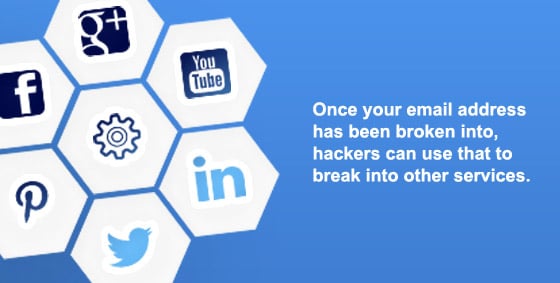
[caption id="attachment_2713" align="alignright" width="300"] Staying Safe using Social Media[/caption] So how do you balance being social with staying safe? People happily share their private information online, building robust libraries that can easily become a one-stop goldmine for fraudsters. It’s not exactly the intention everyone has when they sign up, as the whole point of Facebook is to share your life with your friends. It hooks us into a global community and the experience does depend on us making certain privacy sacrifices. So how do you balance being social with staying safe? On Facebook alone, the average person shares 13 pieces of personal information ranging from a fairly innocent name/email combo, all the way to mothers maiden name and home address. It doesn’t sound like a lot, but those 13 pieces have the power to unravel your life within minutes. Even checking in at home has become the norm, helping to create a multi-dimensional online identity. The details are available to anyone who cares to look, whether they’re a friend keeping in the loop, or someone with a much darker agenda. The problem is, you just don’t know who’s looking at your profile or why. For example, someone could try accessing your email account by clicking the ‘Forgot password’ link. The email service follows its security rules and asks identifying questions like ‘which high school did you go to? What is your pet’s name?’ Unfortunately, the most common identifying checks and answers are probably available on Facebook. Once your email address is compromised, hackers can use that to break into other services and go through, clicking ‘Reset Password’ on site after site, account after account – they have full access to your email, so there’s nothing stopping them from emptying your bank accounts – or worse. 7 Ways To Secure Your Facebook Without Missing Out on the Fun Begin by previewing your profile as others see it Review what should and should not be visible to strangers Consider only sharing partial details, like birth day and month, but not the year Only ever ‘Friend’ people you know and trust Be wary of duplicate or ‘odd’ friend activity – hackers will often clone or hack a friend’s profile and initiate an urgent and uncharacteristic request for money Update your past privacy settings too Set default future sharing to ‘friends only’ Are your privacy policies up-to-date on Facebook? Click here to learn more about updating privacy and security settings on FaceBook. Make sure your computer is safe while using social media by giving us a call at 570-235-1946 or by visiting our Contact Page...

Why Managed Services Will Save You More Than Money “Downtime costs money.” That’s no secret, but it doesn’t quite capture the whole experience…you arrive to work in the morning, grab your coffee knowing you’ve got a hectic day ahead, and are ready to dive in. For some reason the computer can’t access the database and neither can anyone else’s. You restart the server while fielding calls left, right and center, but are unable to answer any client queries. Your hands are completely tied…and now the server is beeping furiously…what’s going on??! You’re not just in crisis mode, you’re on damage control as you call every tech you can think of, trying to find one who can come NOW. Not exactly the day you had planned. The Break/Fix Days Are Gone Previously, businesses only addressed their IT needs when something broke. A few hours down meant little in the scope of things. In today’s fast world, businesses rely heavily on IT and downtime just isn’t an option. Even the legalities of simply restoring financial, legal or medical files after a breach raises issues. How Can Managed Services Help? The cost of break/fix is now too high, both financially and emotionally. Simply put, your IT services are remotely monitored and proactively managed by a professional, external business. Your Managed Service Provider (MSP) runs regular diagnostics on equipment to identify impending failure and resolves problems before they happen. Benefits of Managed services Small to medium businesses in particular benefit from managed services, because they don’t usually have an on-site technician to oversee the multiple systems in use. By subscribing to a managed service provider, businesses can have reduced labor costs, access to a knowledge base, future-pacing, better data security and reduced downtime. Businesses can also know exactly what their upcoming costs are and plan accordingly. Read more about managed services Some of the managed services we can provide are: Remote support – This allows us to help you quickly without needing to be on-site Hardware monitoring – We monitor your servers and workstations to catch hardware failures before they happen. Managed anti-virus – We make sure your anti-virus is up to date and take immediate action if an infection occurs Patch management – We make sure your computer’s operating system is up to date, closing access to known vulnerabilities as soon as possible How much down time can your business afford? Call us at 570-235-1946 or visit our Contact Page...

Every employee shares one inescapable flaw that is putting your business at risk. They’re human. 59% of data breaches can be traced back to something an employee did (or didn’t do), which invited a cyber-attack. The Scam Goes Like This To lock hackers out, build security awareness and respect into your company culture, so that maintaining digital security becomes as routine as making coffee. Use Complex Passwords Every employee, including management, needs to use an alphanumeric password that they haven’t used before. Password managers can assist with making sure they’re never forgotten. Verify Unknown Identities Not familiar with ‘Jenny from Accounting’ who has called to ask for sensitive information? Double check caller identity and access permissions before releasing any information. Hackers love to play on our desire to be helpful. Encrypt by Default People regularly transfer data to a laptop or smartphone so they can work more efficiently. Unfortunately, this equipment can be easily stolen. Set operating systems to encrypt data by default, so that it becomes useless in the wrong hands. Protect Portable Devices Laptops and mobile phones should always require a password and be set to auto-lock after a short period of time. Never leave them unattended in cars, buses, restrooms etc, and take them as carry-on luggage. Set Personal Usage Rules While you may have blocked productivity-vacuums such as Facebook, what are the rules regarding games, video streaming or shopping? Can they install their own software? When business computers are used for personal usage, security vigilance tends to slide, resulting in unintentional malware installation. Educate Often Digital security threats change regularly, and people become comfortable with a certain level of danger, thinking ‘it will never happen to me’. A 5-minute discussion once a month may be the barrier that keeps hackers out. Starter Topics Links in emails – Hackers often send emails that look like they are from your bank or similar. Be sure to check the link by hovering over it with your mouse. This is known as ‘phishing’. Tech scam popups – Be on the lookout for popups advising that your computer is infected and you need to call a phone number or download software. Email attachments – Never open an unknown attachment, and even from people you know and trust, always scan for malware before opening. If you need help implementing better security practices in your business, give us a call at 570-235-1946 or visit our Contact Page...

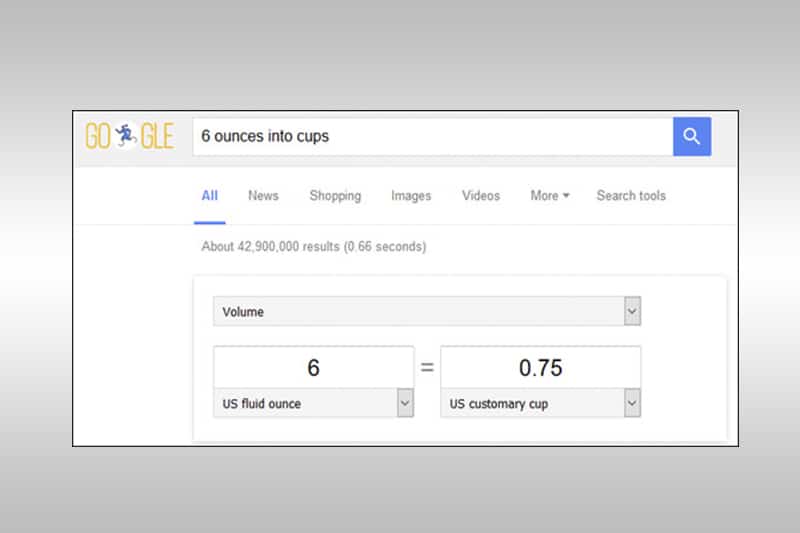
Quickly Become A Google Fu Master Kids are quickly becoming Google fu masters. They’ve become experts at quickly locating information online using search engines. That’s Google Fu, the ability to use search engines to whip up answers and research faster than a contestant on a radio quiz. No matter what age, you too can become a Google Fu Master. Level 1 Mastery: Tell It What You Need Google is smart and can understand “conversational searches”. Let’s say you came across a great recipe online, but the measurements were imperial. Google has you covered. Simply tell it what you want to convert, and what into. [number] [unit] into [unit] Enter “6 ounces into cups”…and hit enter. Google presents the answer, already calculated – AND it includes a handy drop down to change those measurements for your next ingredient. Release dates: [movie/game] release date Fast facts: [name of person] deathDurable – No moving parts to wear out Stats: [city] population Level 2 Mastery: Limiting Result Type With one additional click, you can tell Google that you only want images. Or videos. Or News, maps, shopping, books or apps. Your initial results are presented as a combination of all types – you can see the ALL tab highlighted up the top. Just click the tab to indicate which result type you’re looking for. Level 3 Mastery: Using Drop Downs. One of the most popular Google Fu moves is to limit results to sites from a particular country. This is great for locating bargains or local businesses. Click SEARCH TOOLS to drop down a second menu. You’ll see the option to limit Country and even Time. 2 extra clicks and my search is now limited to my home country and items from the past 7 days only. Level 3 Mastery: Using Operators. Your final level of mastery, often used as a last resort when you’re just beginning to doubt whether the internet has the answer you’re seeking. Finally, enclosing your search terms in “quotation marks” binds the term together so Google can’t break it up. E.G. “Project Management” Your Google Fu will soon be very strong. More Google search tips and tricks Want more business advice? Call us at 570-235-1946 or check out our Consulting page to fill out a form for a free consultation!...

If Your Computer Had A Virus, You’d Want to Know About It ASAP, Right? Tech scammers know we’d be lost without our computers, and that we don’t always know what’s going on behind the screen. In effect, they’ve been able to swindle millions from people across the world every day. Tech Scams Go Like This You receive a random phone call from someone with a heavy accent (usually Indian) saying they’re from Microsoft. Pop-ups appear on the screen indicating system is infected with a virus. Then, to fix the problem, they instruct you to download support software. From here, the technician gives you a special link to use. Thereafter, a technician uses that software to gain access to your system, and makes it appear as if your system is riddled with viruses. For example, flashing screens, mysterious diagnostics whizzing by, fabricated errors…they’ll do or say anything to invoke panic. Scammers go as far as claiming your system has been infected with illegal content, and can lead to criminal charges. Finally, scammers will make demands for credit card information. Once paid, scammers stop fiddling with your system to create the illusion that the problem is fixed. To continue the scam, they’ll soon access your system to recreate the problem, this time offering a subscription for ongoing protection. What To Do If Targeted By Tech Scams? 1. Don’t taunt them. Just hang up. Right now you’re only a phone number in their system and they’ll move onto the next. However, if you give them cause to target you personally, you may find yourself in a dangerous situation. The real Microsoft will never randomly call people like this. Ever. 2. If a pop-up appears, immediately run an anti-virus scan. Don’t click the pop-up or call the number. Already A Victim of Scams? Call your financial institution and have the charges reversed and your card reissued. It’s easier than you might think and helps the authorities locate the scammers. Give us a call at 570-235-1946 or visit our Contact Page and we’ll make sure scammers no longer have access to your computer...

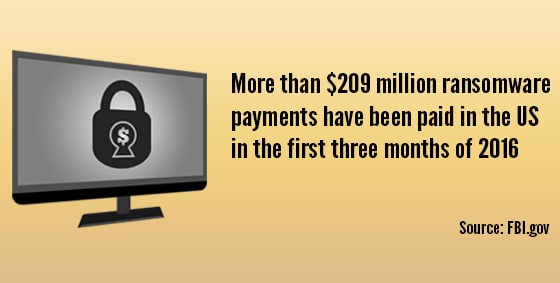
More and more businesses and organizations are getting stung by ransomware attacks. Hospitals, schools, social networks…some days it seems like an epidemic that leaps around arbitrarily, and hackers are raking in millions. Losses in the Billions Ransomware attacks are devious in their simplicity. A user in the target business is tricked into opening a file, usually through a phishing email or download. The file contains malware which instantly encrypts your data and demands money in exchange for the password. Cost of Not Backing Up All of the target businesses should have backups, which they could simply revert to without paying any money. However, the FBI reports more than $209 million was sent to hackers in the first quarter of this year alone. Keep in mind, this was just payments within the US, and only counts those who came forward. Last year it was only $25million. Do Backups Help? Sometimes the backup solution fails and the data can’t be retrieved. This is particularly true in cases where the solution has been in use for years and something failed along the way. In other instances, the target business has a backup that can be restored, but it doesn’t include everything they need for full recovery. Finally, and the most common reason so many businesses are forced to pay the ransom: the ransomware attack affects the entire system. If the backup is also caught in the ransomware encryption, it becomes useless as a recovery method and the only options are to pay or lose the data forever. Each day spent trying to recover the data drains valuable business resources and in many cases, results in massive revenue loss. The only defense is to block the malware before it can infect the first workstation. Then, continue the protection with a comprehensive backup strategy for all workstations and servers. Want protection from ransomware attacks? Call us at 570-235-1946 or visit our Contact Page...

  Blog of the Year Awards 2015 NEPA BlogCon Tech Blog of the Year It's been several weeks since we closed up our computer repair shop in Mountain Top, making the Dolphin Plaza on Route 315 our permanent home. (Now located on 237 Old River Road Wilkes-Barre, PA 18702, in the rear of the Dolphin Plaza. Come on down and see our new place!) We're moved-in and the dust is still settling, but we are open for business. Fixing iPhones and iPads, desktop and laptop computers, etc. Don't forget, if you're having trouble upgrading to Windows 10, we are here to help. The bugs are still being ironed out, but quite a few people reported liking it much more than Windows 8. Yep...

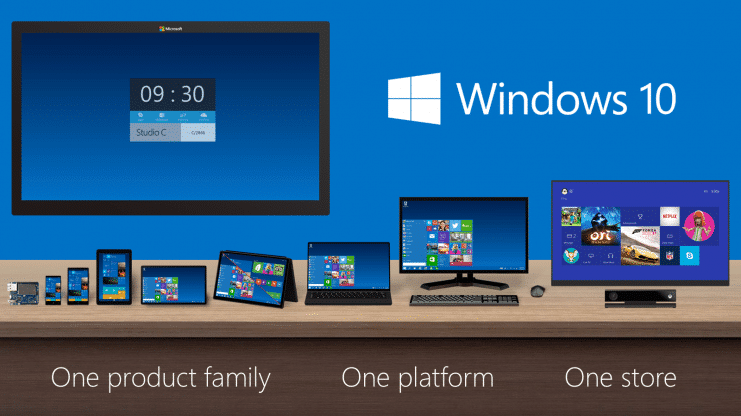
Windows 10 is coming, and as the latest edition of the powerful operating system, it promises to be better than ever. Microsoft has set the release for Windows 10 to be July 29, 2015 -- only a few weeks away. But the really big news is that this version of Windows will be free to current users of Windows 7 and Windows 8. In fact, you may have noticed the new icon sitting in your task bar, asing if you want to upgrade. All you have to do is claim your copy, and it will waiting for you. But what then? That's when you call us -- NEPA Geeks. We'll ensure that the upgrade process is smooth and trouble-free. For a low price of only $99.99, NEPA Geeks will backup your existing data and upgrade your operating system to Windows 10. Your data will then be put on a DVD and returned to you with the computer. (Only applies to current Windows 7 and 8 users who have registered for their free copy of Windows 10) Curious about upgrading, but not really sure if it's for you? You will be able to find a TON of information on the new operating system over at Microsoft's blog, detailing almost anything you could want to know about it. Still unsure? Feel free to give us a call at 570-235-1946 or visit our Contact Page. We'll be more than happy to answer any questions you might have. And don't forget, the price of $99.99 comes with a free backup, ensuring that your data will be safe and secure in the event that you find incompatibilities with your software or hardware, or simply don't like Windows 10 and wish to revert back to your original operating system. Just let us know, and we'll discuss details about downgrading. So, are you ready for Windows 10? July 29 is just around the corner...